
Ask any junior associate about their first year of practice and you'll hear a similar story. It's 9pm on a Tuesday, they're three Coke Zeros deep, and they’re staring at 20 pages of handwritten notes from a client meeting that happened six hours ago, trying to turn them into a file note before morning.
The notes are a mess. Whoever took the notes was splitting their attention between listening to the client, asking the right follow-up questions, and trying to write fast enough to keep up.
AI notetakers are supposed to fix this. And the good ones do. They give you a clean transcript, a tidy summary, and a few action items at the bottom.
But for a law firm, that's only half the job. The other half is what happens after the notes are captured: getting the notes into the right matter in their legal software, recording the billable time from the meeting, and doing it all without spending 20 minutes of non-billable admin time on filing.
We tested the AI notetakers most law firms are considering in 2026 to see how well they capture meetings and what they do with the notes afterwards. Here's what holds up.
What is an AI notetaker?
Before we get to the shortlist, it's worth clarifying what an AI notetaker actually is.
In the past, taking meeting notes might have been the responsibility of a junior in the room, the paralegal who could type the fastest, or the partner who'd be writing it up at home that night.
An AI notetaker records, transcribes, and summarizes a meeting. Depending on the tool, it can work for virtual and in-person meetings, which can happen by joining the call as a participant, running silently in the background of your computer, or recording the room from a device on the table.
If you're still working out whether AI notetakers are the right move for your firm in the first place, we wrote a separate piece on that question: should law firms use AI notetakers?
The three types of AI notetakers
There are three types of AI notetakers worth knowing about:
- Bot-based notetakers join your video call as a participant. You'll see something like "Otter.ai Notetaker" in the attendee list.
- Bot-free notetakers record audio directly from your computer, meaning no bot joins the call. Granola, Jamie, and VXT Meet work this way.
- Device-based notetakers are physical recorders. Think of an old-school dictaphone. You wear it or set it on the table for in-person meetings, and the audio and notes save to an app afterwards.
All three approaches can produce excellent notes. The differences start to matter once you look at what happens to those notes once they're written.
What law firms should look for in an AI notetaker
Most "best AI notetaker" lists evaluate tools against generic criteria. That's fine if you're a sales team or a small business, but law firms have their own needs. Here's what to look for:
- Notes saved in your legal software. A good summary stuck in another app is double-handling (the kind of admin AI was supposed to remove). The best notetakers save notes directly against the right matter in your legal software.
- In-person meeting capture. A lot of legal work happens face-to-face: client intakes, will signings, meetings across the desk. A notetaker that only handles video calls is only capturing half your meetings.
- Bot-free recording. Bots have to be admitted to calls, sometimes get blocked by enterprise security, and add another "participant" to a potentially confidential conversation (and there’s nothing worse than being in a meeting where the bots outnumber the people!).
- Captures time alongside notes. Every meeting is potentially billable, and forgotten time is the most common form of revenue leakage in a law firm. The best tools record the time entry at the same time as the notes.
- Works with the video tools you already use. A notetaker that only works on one platform is a liability. You don't want to migrate to a new video conferencing platform just to start taking better notes.
We've tested each of the tools below against this list. Here's how they stack up.
The 8 best AI notetaker for law firms
1. VXT Meet — Best option for law firms
Best for: Firms that run on the legal software VXT integrates with.
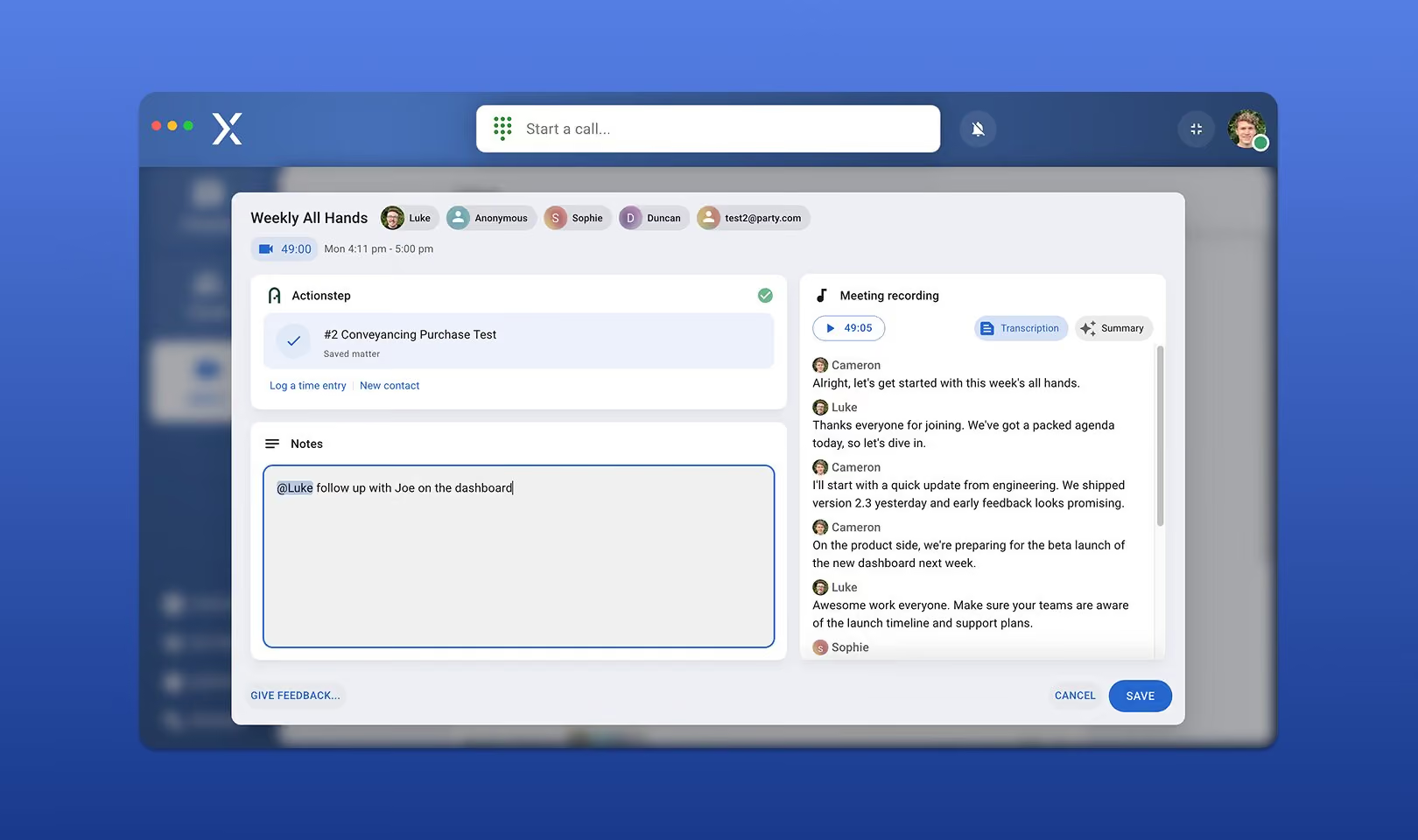
VXT Meet is the only AI notetaker on this list built specifically for law firms. It records video meetings in the background without a bot joining the call and it works for in-person meetings too. After each meeting, it produces a transcript, a structured summary, and a clean set of notes.
The big difference from other options on this list is what happens after your meeting. VXT Meet integrates with 30+ legal software platforms, including Clio, LEAP, Actionstep, Smokeball, MyCase, Filevine, Lawmatics, OneLaw, Lawcus, NetDocuments, and iManage (+ more!). That means notes are saved automatically to the correct matter in your legal software (no copying, pasting, or renaming files). It also means the time spent in the meeting can be logged as a time entry right away.
VXT Meet is also built with the legal industry's security expectations in mind: none of your data is used to train AI models, and recordings are retained as long as your account is active (and you can export all your data at any time for free).
It's the same workflow over 1,700 law firms already use for their phone calls. VXT Phone captures calls and texts the same way Meet captures meetings: once a conversation ends, the transcripts, summaries, and time entries are saved to the matter in their legal software automatically. Whether the conversation happens on a video call, a phone call, or over text, the file note ends up in the same place.
Pricing: You can download and use VXT Meet for free today, without a subscription. A paid plan will be introduced for VXT Meet later in 2026. At that point, users can upgrade to a paid account or continue on a freemium account with usage limitations.
2. Granola — Best general-purpose bot-free notetaker
Best for: Attorneys who take a lot of meetings, want clean notes, and don't need them filed into their legal software afterwards.
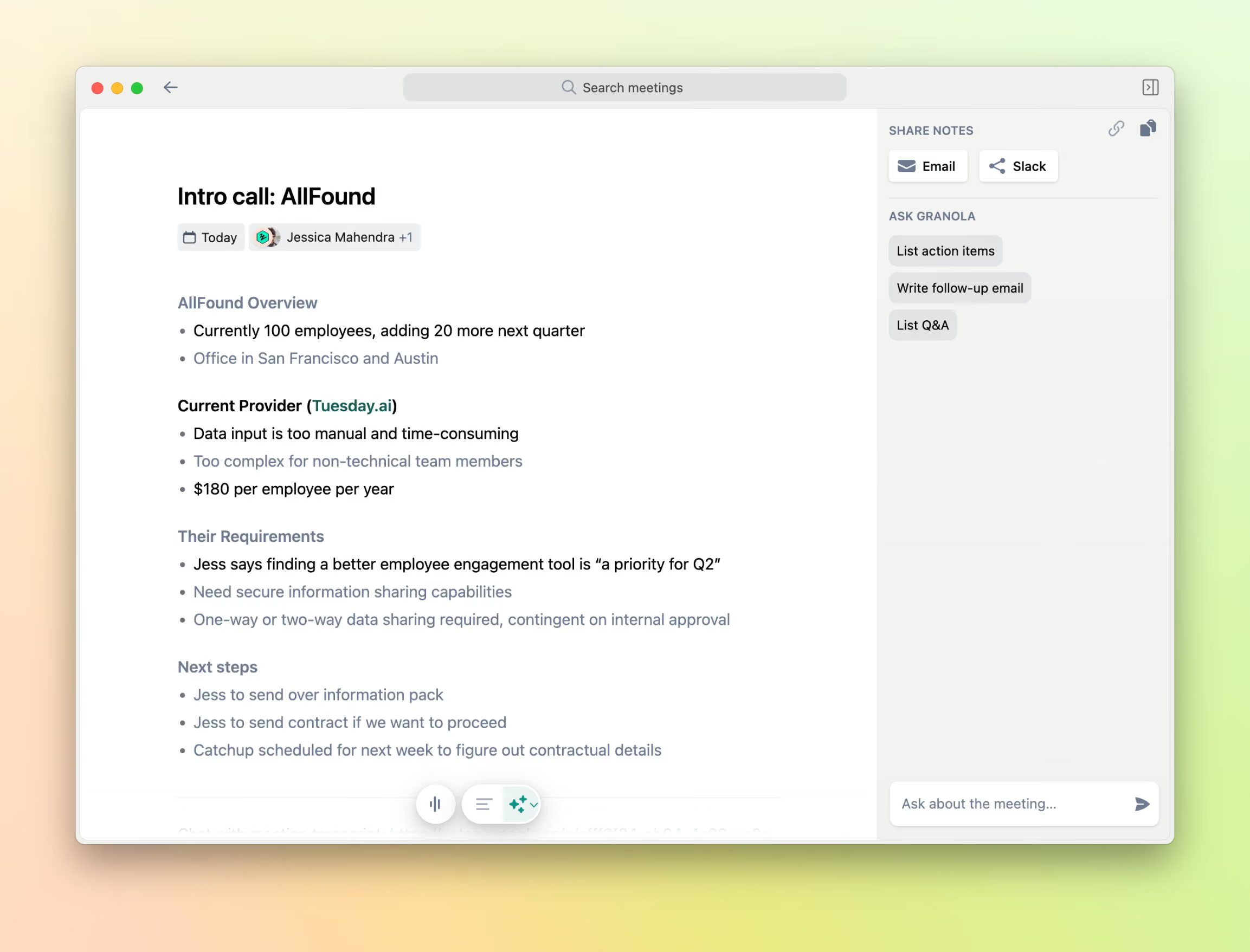
Granola is the tool that made bot-free note-taking mainstream. It sits on your computer, captures audio, and creates a clean, structured summary after the meeting ends.
The note quality is quite good. Granola takes the notes you typed during the meeting and uses them to guide its AI summary, so the output reflects what you actually cared about, not just what the algorithm thought was important.
The thing to know is who Granola was built for. Their own marketing makes no secret of it: VCs, startup founders, and product managers are their core users, and their product pages explicitly target product teams.
That focus shows in the integration list (Notion, HubSpot, Slack, Zapier) and in the absence of any connection to legal-specific software. Notes live in Granola until you copy them out. And on the free plan, your meeting history expires; you have to upgrade to Business to keep older notes permanently.
Pricing: Free plan with limited history. Business is $14 per user per month. Enterprise is $35 per user per month.
3. Jamie — Best bot-free alternative for general business use
Best for: Solo practitioners and small business owners who want bot-free notes and don't need legal-specific workflows.
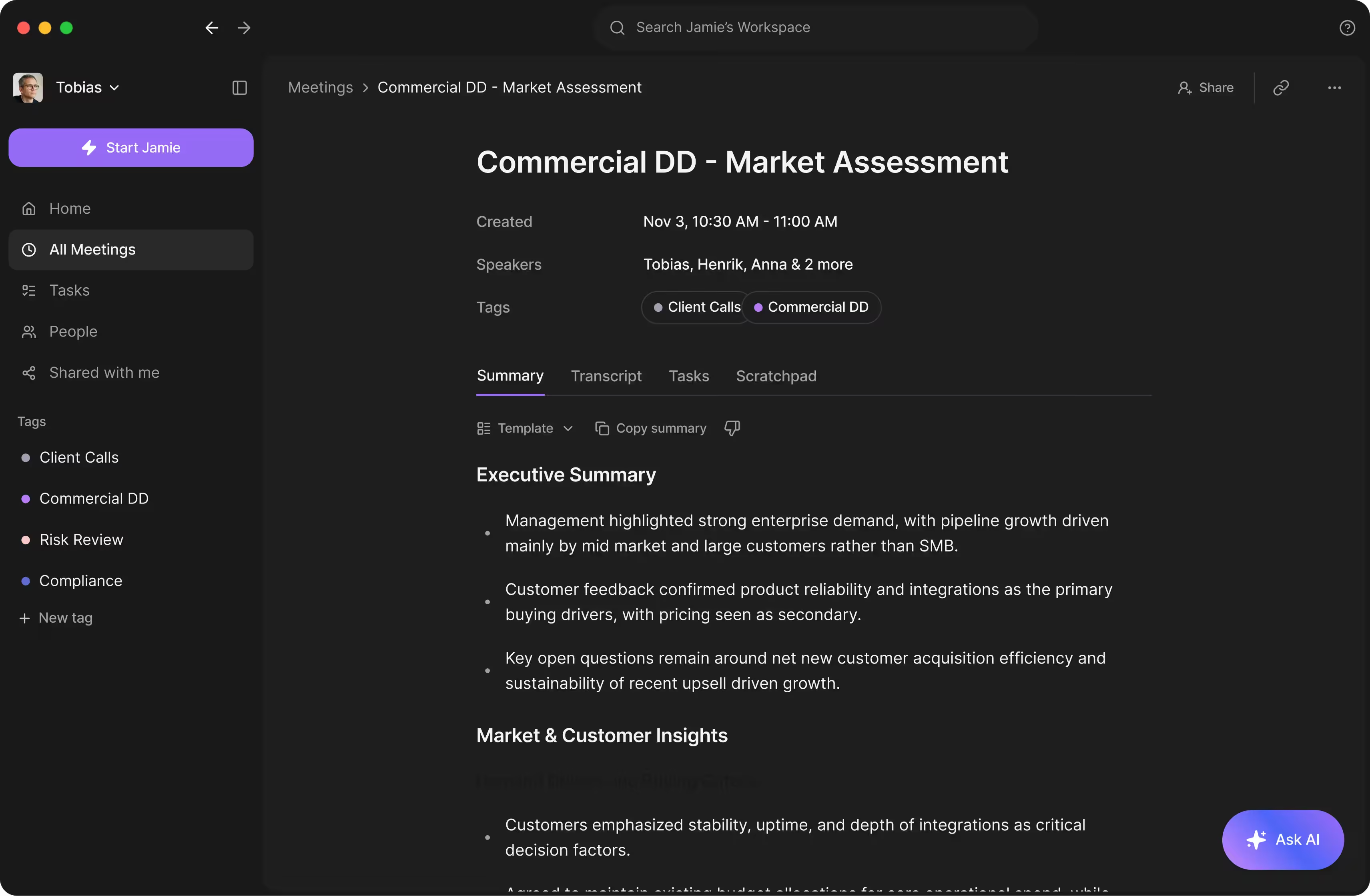
Jamie is the European answer to Granola. Built in Berlin, hosted in Germany, and GDPR-aligned by default. It works the same way as VXT Meet and Granola, being bot-free recording from your computer's audio, then creating AI-generated notes and action items afterwards. Like VXT Meet, the desktop app handles both in-person and virtual meetings. The summaries support 90+ languages and the speaker identification works reasonably well after a few sessions of training.
That said, Jamie is built for a general business audience, not law firms. Its customer base leans toward founders, consultants, sales teams, and corporate executives at companies like Adobe and LinkedIn. There's no native integration with any legal software, no time recording, and no workflow built around how legal work actually moves between meetings, matters, and billing. You'll need to export notes manually if you want them in your legal software.
The free plan is also tight (10 meetings/mo with a 30-minute cap), which won't survive a real legal workload, and the integration list (Notion, Google Docs, OneNote, HubSpot) is short and skewed toward generalist tools.
Jamie is a good fit for a solo lawyer or small firm who wants clean notes for general business meetings, like internal team check-ins, partner discussions, and networking calls and is happy to copy notes manually into their legal software when needed. For client-facing legal work where the notes need to end up in a specific file, a tool with native legal integrations will save you a lot more time.
Pricing: Free plan (10 meetings/month, 30-minute limit). Plus is €25/month. Pro is €47/month for unlimited meetings. Team plan is €39/seat/month.
4. Plaud — Best for capturing in-person meetings with a device
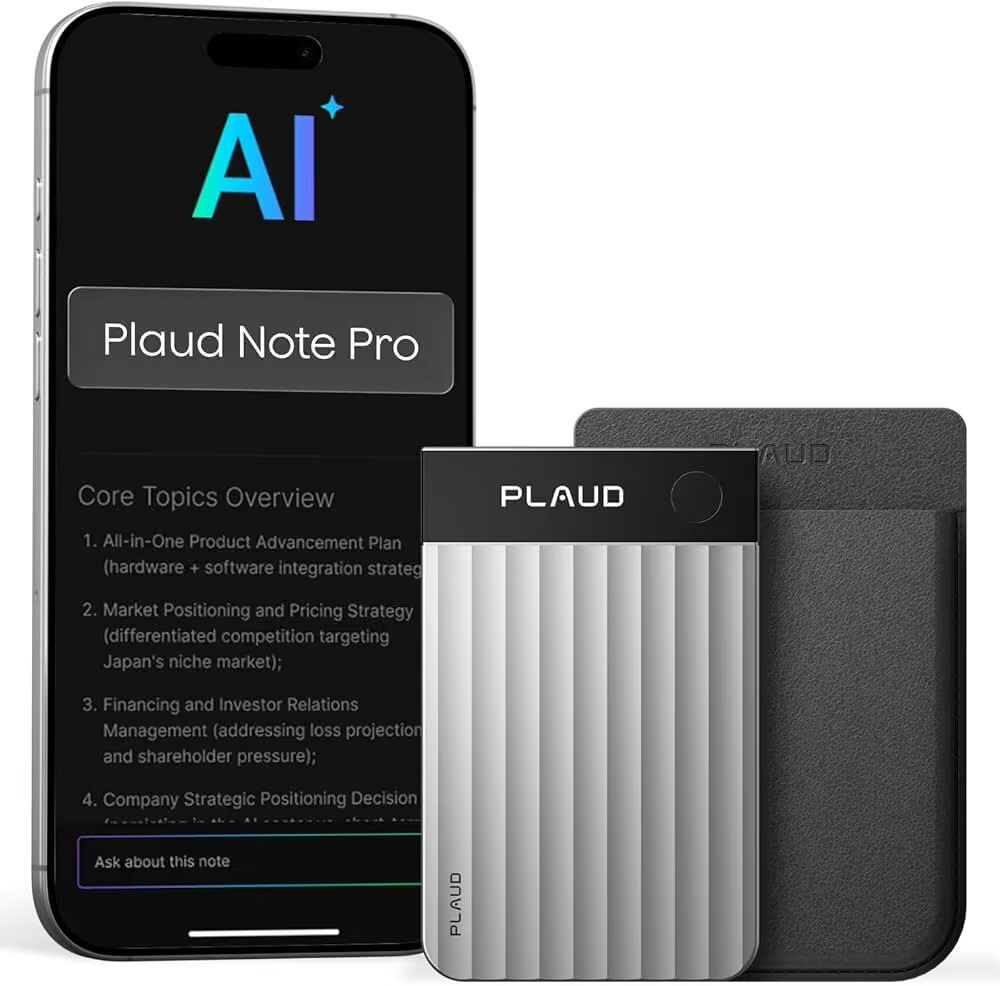
Best for: Attorneys who do most of their work face-to-face (client intakes, court, depositions, signings).
Plaud is the outlier on this list because it's a hardware device. The Note Pro is a credit-card-sized recorder that sits on a table during a meeting or attaches magnetically to the back of your phone for capturing calls. It records up to 30 hours on a single charge and uploads to a desktop app that handles transcription and summarization afterwards.
For a lawyer who lives in meeting rooms more than Zoom, this is helpful. The microphone can handle distance, multiple speakers, and the kind of acoustically poor environments where in-person legal meetings take place. Plaud's users skew toward sales reps, consultants, healthcare professionals, and students, but the underlying capture quality is good enough that the legal use case works too.
The catches are real though. You're buying hardware, which means an upfront cost ($159 for the Note, more for the Note Pro) and the inconvenience of remembering to charge and bring a small device to meetings. The free transcription quota is 300 minutes per month; heavier users need a $99.99/year Pro plan or $239.99/year Unlimited plan.
The bigger catch is what happens after the meeting. Plaud doesn't push notes into your legal software. This means the workflow is fundamentally one-way.
After each meeting you'll be opening the app, waiting for the upload, finding the recording, exporting the summary, opening your legal software, finding the right matter, pasting the note, naming the file, and manually logging the time entry. Realistically, that's at least five minutes of non-billable admin per meeting, and across five or six client meetings a day, that's 30 minutes of work the software-based notetakers handle automatically.
Pricing: Plaud Note from $159 (one-time). Free plan includes 300 transcription minutes per month. Pro is $99.99/year for 1,200 minutes per month. Unlimited is $239.99/year.
5. Microsoft Copilot — Best for Microsoft 365 firms already paying for it
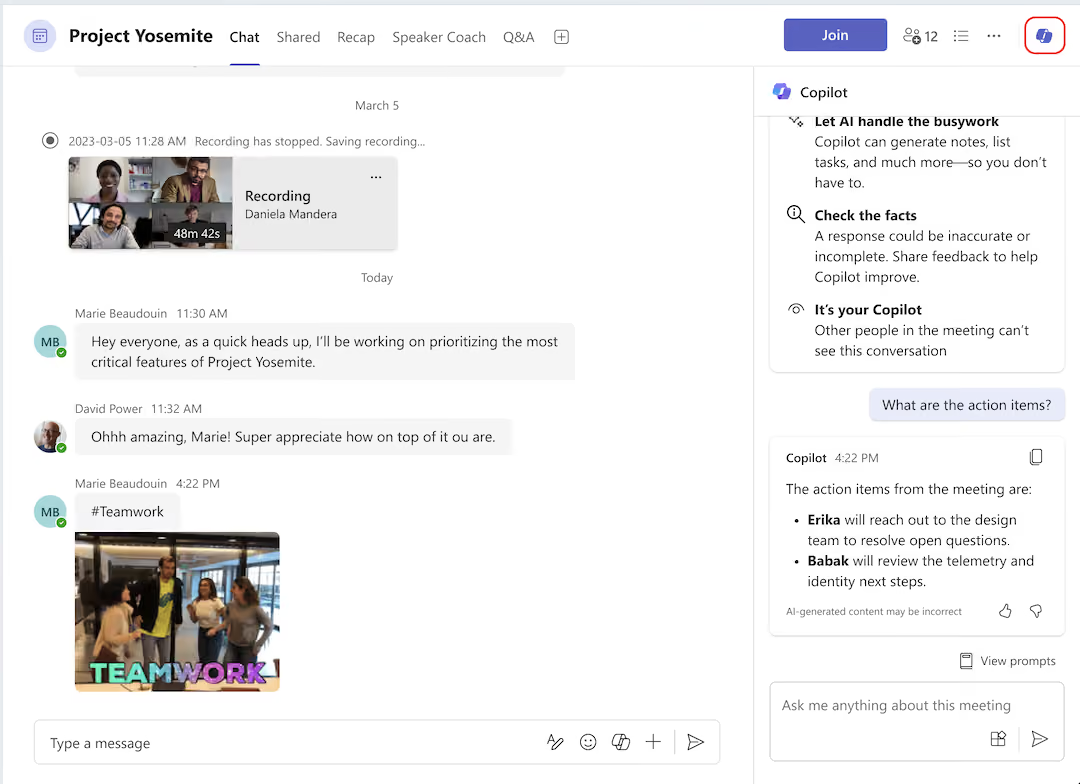
Best for: Firms that live in Teams and already have Microsoft 365.
If your firm runs on Microsoft 365 and uses Teams for video meetings, Microsoft 365 Copilot is certainly an option (though we wouldn’t call it a good one). It produces meeting summaries, action items, and follow-up suggestions natively inside Teams. It also extends into Outlook (for drafting follow-up emails based on the meeting) and Word (for turning meeting content into a project update or memo).
Copilot is a horizontal product for Microsoft's entire enterprise customer base: finance teams, HR teams, sales teams, legal teams and more. That means it's not built around any one industry's workflow, and law firms aren't its target market.
The case for Copilot is procurement, not product. You're already paying Microsoft for everything else. The case against a law firm, specifically, is that it doesn't do what’s most useful to law firms: pushing notes into legal software. The summary lives in Teams and Outlook. Getting it into your matter file is your problem. If you only want it for meeting notes, you're paying for a lot of capability you probably won't use.
Pricing: Microsoft 365 Copilot Business at $18/user/month through June 30, 2026, then $21/user/month from July 1, 2026. Enterprise at $30/user/month. Requires an existing Microsoft 365 subscription.
6. Bluedot — Best low-friction bot-free option for browser-based meetings
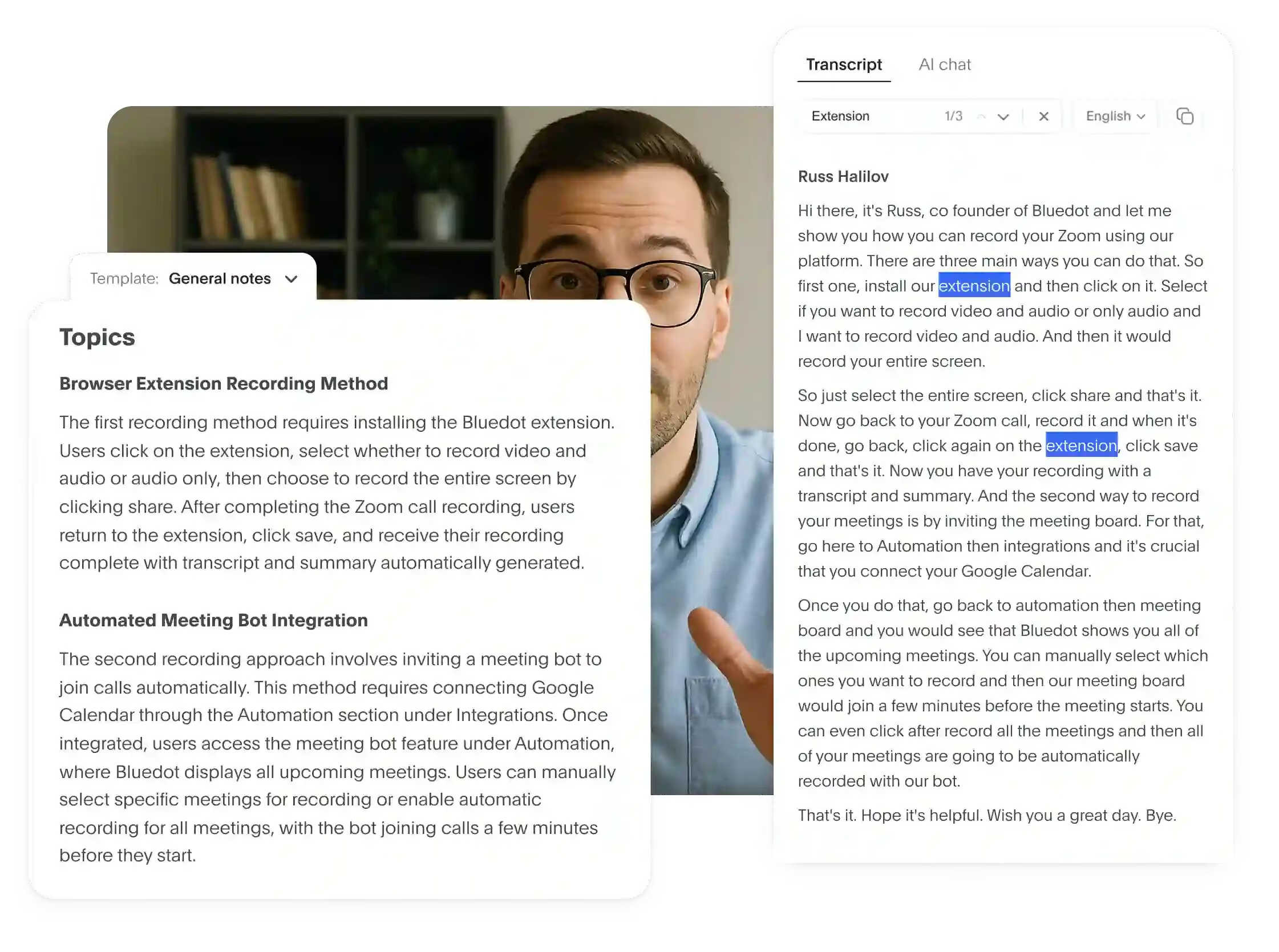
Best for: Attorneys whose meetings are mostly on Google Meet (or another web equivalent), who want bot-free recording and don't want to install a desktop app.
Bluedot started as a Chrome extension specifically for Google Meet and has expanded into Zoom and Teams. It's pitched primarily at sales and customer success teams — the integration list (HubSpot, Salesforce, Notion) makes that obvious — but the bot-free recording works for any meeting.
What makes it interesting for attorneys is it’s ease of use as a browser extension. You install it once, click record when a meeting starts, and that's the entire workflow. There's no separate app to launch, no calendar permissions to grant, no bot to admit. For a partner who hops between back-to-back client calls, that simplicity matters.
The catch is the same one most general-purpose tools share: no integration with legal software. The CRM integrations are pitched at sales teams. There's also a free plan limit (5 meetings) and the paid plans start at $14.99 per month.
Pricing: Free plan (5 meetings). Basic at $14/month, Pro at $20/month and Business at $32/month.
7. Fireflies — Best for sales-style CRM workflows
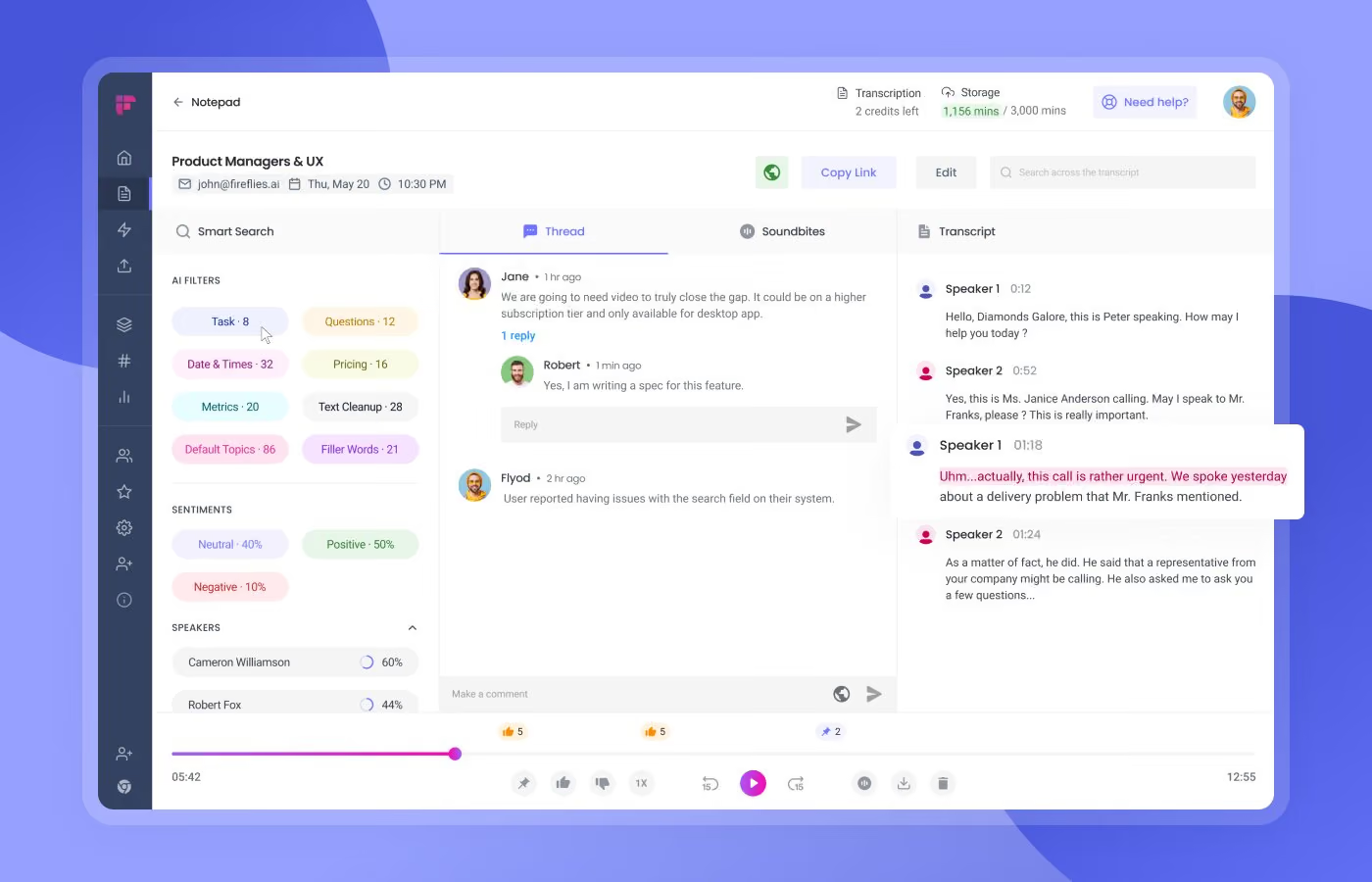
Best for: Firms that already run on a CRM (HubSpot, Salesforce) for client development and want call notes pushed into that system.
Fireflies has been around since 2016 and is one of the more mature notetakers on the market. It joins meetings as a bot, transcribes them in 100+ languages, generates summaries, and pushes notes into a long list of CRMs and productivity tools. There's an AI assistant called Fred that can answer questions about your meetings.
For a law firm, the integration story is the appeal at the front end of the client lifecycle. If your business development pipeline runs on HubSpot or Salesforce, Fireflies will route call notes into the right contact record automatically. That's useful for the rainmaker partner tracking referral sources, intake calls, and follow-ups.
But that's where the workflow stops. Most firms use a CRM for prospective clients and switch to their legal software once a case is taken on. From that point onwards, the active matter, the historical record, the time recording, the file note that lives with the case for years, Fireflies isn't in the picture. There's no integration with any legal software, so meeting notes for active matters end up in Fireflies and your CRM, but not in the matter file where they actually belong.
The other catches: Fireflies is a bot, meaning it appears as a visible participant in meetings, which some clients find off-putting. The free plan is generous-sounding (800 minutes) but constrained by an "AI credit" system that limits how much you can actually do with the summaries. The Pro plan ($10/seat/month) caps storage at 8,000 minutes, which sounds like a lot until you record a few longer client calls.
Pricing: Free plan (800 minutes, capped AI summaries). Pro at $10/seat/month. Business at $19/seat/month. Enterprise custom.
8. Otter — Best for casual transcription
Best for: Attorneys who only need the transcript itself, not what happens to it afterwards.
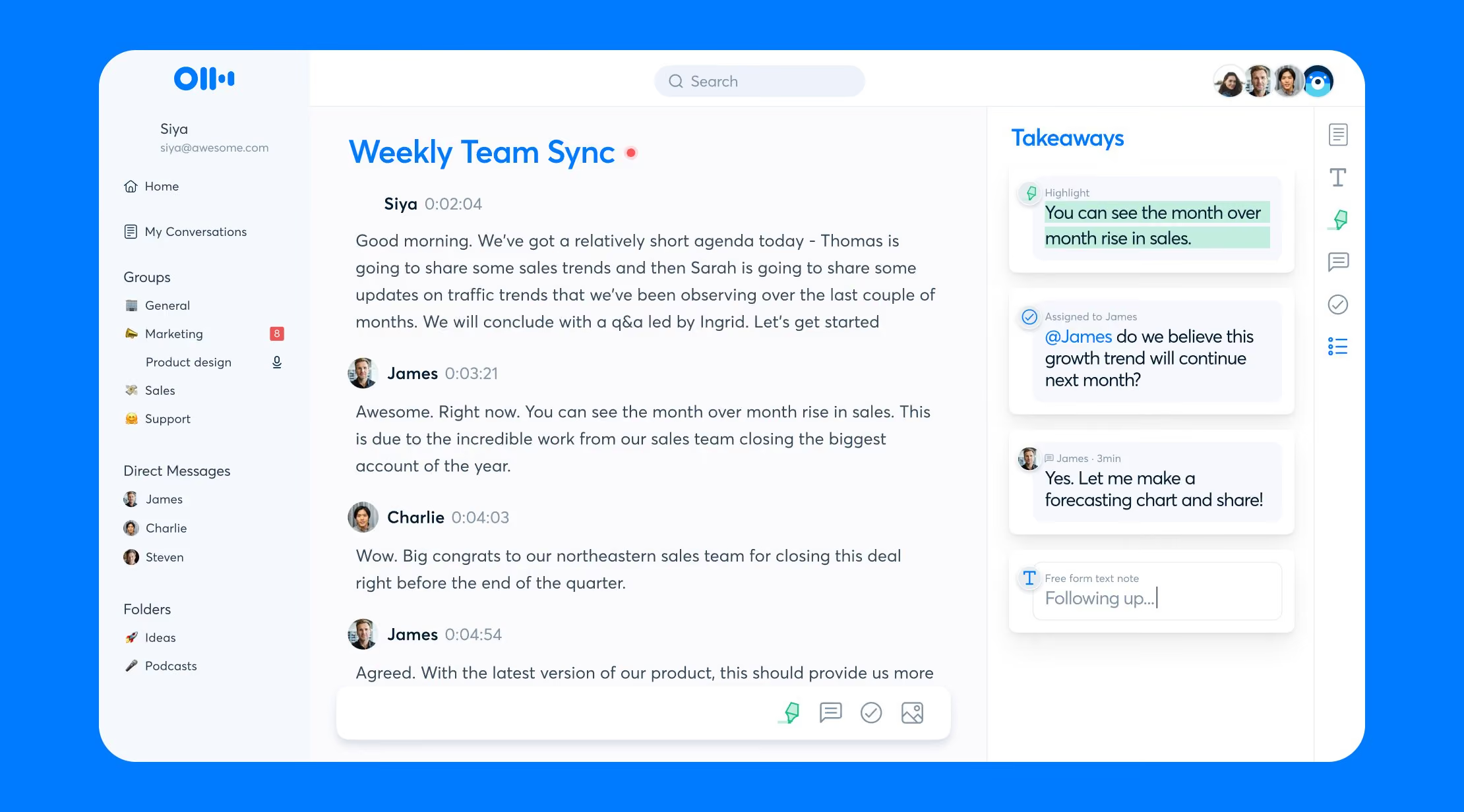
Otter is the OG. It's been around since 2016, it's cheap, and if all you want is a meeting transcript with speaker labels, it does that fine. It’s aimed at students, journalists, podcasters, and anyone who wants a transcription tool on a budget. Plenty of solos use the free tier as a glorified voice memo with autocomplete.
The trouble starts when you ask it to do anything else a law firm actually needs it to do. Otter joins meetings as a bot called "Otter.ai", which is fine for an internal meeting, less fine when you're meeting with a client who'd rather not see a third participant on the call.
There's no integration with any legal software, so notes live in Otter and stay in Otter unless you copy and paste them out. The free plan caps you at 300 minutes per month, with a 30-minute limit per meeting, which won't last a single deposition prep.
If you want a basic transcription tool and you don't care where the notes end up, Otter is fine. If you want a notetaker for a law firm, this isn't it.
Pricing: Free (300 min/month). Pro at $16.99/month. Business at $30/user/month.
How the notetakers compare
Here's how each notetaker stacks up against the criteria listed earlier in this article.
So which one should you pick?
If you've made it this far, you probably aren't asking the general question of "which AI notetaker is best?" You're looking for the one that actually fits how legal work happens at your firm.
The truth is, most of the options on this list produce serviceable notes. The good ones save you trying to listen, talk, and type at the same time. The great ones save you the work that comes after the meeting too.
If your firm runs on legal software and you spend a lot of your day in client meetings (virtual, in-person, or both) you want notes that file themselves. That's the case for VXT Meet, the AI Notetaker built specifically for law firms.
Download VXT and give VXT Meet a try for free.
.jpg)
.jpg)
.png)